



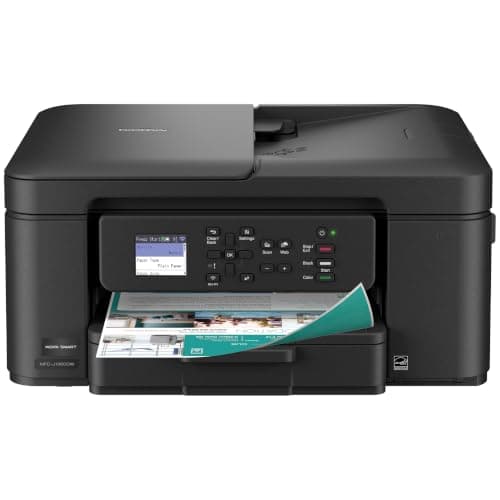
Current Model: MFCJ1360DW / Renewed (Refurbished) / Printer
From
$54.99
 Brother
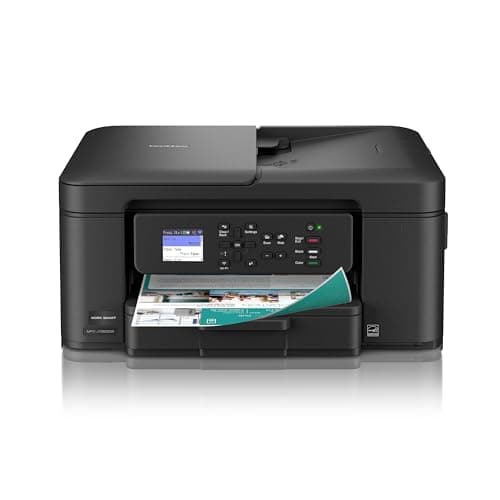
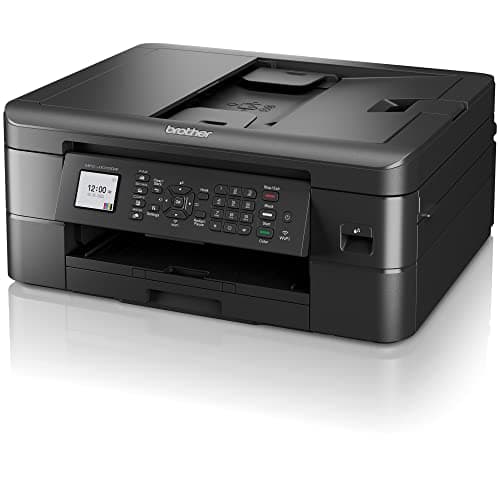
The Brother Work Smart MFC-J1360DW is a compact wireless color inkjet all-in-one printer designed for everyday home and home office use. It combines color printing, copying, and scanning in one device, with automatic two-sided printing, a 20-sheet single-sided automatic document feeder, and a 150-sheet paper tray. Print speeds reach up to 16 pages per minute in black and 9 pages per minute in color. Wi-Fi, USB, cloud app connections, mobile printing, and Alexa compatibility add extra convenience for everyday tasks.
$69.98
Lowest Price

When printing, copying, and scanning are part of your daily routine, switching between separate machines can quickly become inconvenient. The MFC-J1360DW combines all three functions in one compact wireless printer, giving you a practical setup for documents, school assignments, reports, forms, and everyday paperwork. Whether you are preparing something for work or simply printing a few pages at home, this user-friendly all-in-one printer helps keep your workspace organized.
If your desk has limited room, having one device that handles multiple jobs can make a noticeable difference. The compact design brings printing, copying, and scanning together while still providing useful features for a home office. For customers looking for a budget-friendly multifunction printer without adding several separate devices, this model offers a convenient everyday solution.
For more document-handling options, you can also explore Scanners when you need dedicated scanning features.
Nobody wants to spend unnecessary time waiting for a small document to finish printing. The MFC-J1360DW delivers print speeds of up to 16 pages per minute in black and 9 pages per minute in color, giving you practical performance for regular paperwork. Black-and-white documents can be handled at the faster rate, while color pages are suitable for presentations, school projects, forms, and other visual materials.
For my customers who regularly print invoices, assignments, letters, or reports, this combination of speed and convenience can make everyday tasks easier. You can keep your routine printing moving without needing a separate machine for color and monochrome work.
Printing lengthy reports or school documents on one side only can quickly consume your paper supply. The MFC-J1360DW features automatic duplex printing, so compatible documents can be printed on both sides without requiring you to manually turn the pages.
Your reports, notes, and other multi-page documents can therefore use a more convenient two-sided format. It is a particularly useful feature when you print regularly and want to make better use of the paper already in your home or office.
Copying or scanning several pages one at a time can become frustrating when you are dealing with a stack of paperwork. The built-in 20-sheet single-sided automatic document feeder lets you load multiple pages and process them more conveniently.
Instead of standing beside the scanner and replacing every sheet manually, you can place your documents in the feeder and let the printer handle the pages. This makes the MFC-J1360DW a practical choice for routine forms, receipts, reports, and other multi-page documents.
Running out of paper after only a few pages is another small problem that can interrupt your work. With a 150-sheet paper tray, the MFC-J1360DW provides enough capacity for many everyday home and home-office printing needs.
You can load a useful amount of paper in advance and avoid constantly stopping to refill the tray. For regular schoolwork, household paperwork, reports, and general document printing, this setup keeps your workflow simple and manageable.
A straightforward control panel can make an all-in-one printer much easier to operate. The MFC-J1360DW includes a 1.8-inch color display for navigating supported printer functions and accessing cloud-based workflows.
You can print from and scan to services such as Google Drive, Dropbox, Box, and OneDrive. This is helpful when your important files are already stored online and you want to work with them without relying entirely on a computer.
Your workspace may change depending on how you use your printer, so having more than one connection method can be useful. The MFC-J1360DW supports Wi-Fi for wireless printing across a compatible network and USB for direct connection.
This gives you the flexibility to position the printer where it works best for your setup. You can use wireless connectivity for convenient everyday access while keeping USB available when a direct connection is more suitable.
Sometimes you need to print or scan something when your computer is not nearby. Brother Mobile Connect provides mobile access to supported printing, copying, scanning, and device-management functions from your smartphone or tablet.
The app also includes Page Gauge, which helps monitor ink usage. For customers who want a more convenient way to manage everyday printing from a mobile device, this adds another useful layer of control.
Many of us now keep documents in cloud storage rather than saving everything locally. The MFC-J1360DW supports cloud-related workflows with services including Google Drive, Dropbox, Box, and OneDrive, helping connect your physical documents with your digital files.
You can use supported cloud functions for printing and scanning, which can be especially convenient when working between a home office, schoolwork, and online document storage. It gives the printer a more connected role in your everyday workflow.
If you already use Alexa-compatible devices in your home, the MFC-J1360DW can fit naturally into that connected environment. The printer is certified to work with Alexa when paired with a compatible Alexa device.
While voice functionality depends on supported features and setup, it provides another convenient way to interact with compatible printer functions. For a modern home office, this can make everyday device management feel a little more seamless.
The MFC-J1360DW includes ENERGY STAR as a listed special feature, making it suitable for customers who want a practical printer for regular home or office use. Its all-in-one design keeps printing, copying, and scanning together rather than requiring multiple machines.
At 16.8 pounds, it provides a dedicated desktop setup while remaining practical for a home office environment. If you want one reliable workspace solution for everyday paperwork, this compact multifunction printer keeps the essential functions together.
You can also browse Printers to explore more printer options and related deals on CouponOffer.
For more smart devices, browse our smart home and electronics offers. You can also check CouponOffer's latest deals before making your purchase.
$69.98
Lowest Price
In stock
$162.41
In Stock

Current Model: MFCJ1360DW / Renewed (Refurbished) / Printer
From
$54.99
Current Model: MFCJ1360DW / New / Printer
From
$69.98
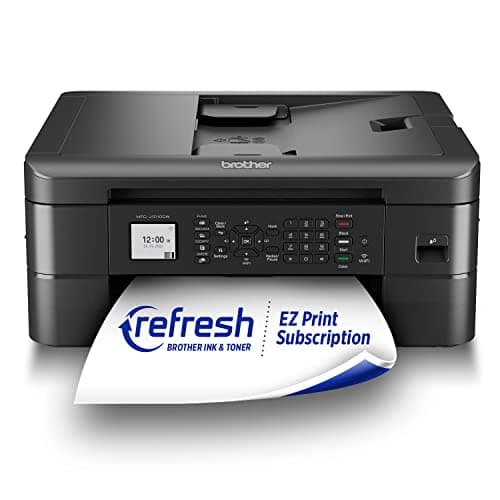
Previous Model: MFCJ1010DW / New / Printer
From
$0.00
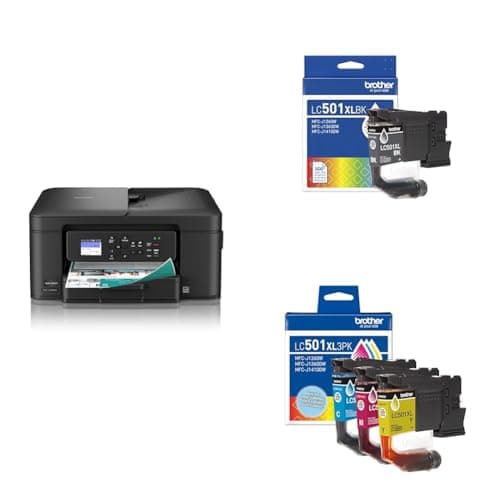
Current Model: MFCJ1360DW / New / Bundle With High Yield Inks
From
$151.77
Previous Model: MFCJ1010DW / Renewed (Refurbished) / Printer
From
$0.00
Most compared products this week across all US retailers


Brother Work Smart MFC-J1360DW Wireless Color Inkjet All-in-One | Print Copy Scan | Auto-Duplex | 150-Sheet Tray | 20-Sheet ADF | Wi-Fi USB | 1.8-Inch Color Display
$69.98
$0.00


Brother Work Smart MFC-J1360DW Wireless Color Inkjet All-in-One | Print Copy Scan | Auto-Duplex | 150-Sheet Tray | 20-Sheet ADF | Wi-Fi USB | 1.8-Inch Color Display
$69.98
$0.00
Amazon
Brother Work Smart MFC-J1360DW Wireless Color Inkjet All-in-One | Print Copy Scan | Auto-Duplex | 150-Sheet Tray | 20-Sheet ADF | Wi-Fi USB | 1.8-Inch Color Display
$162.41
$0.00
Brother Work Smart MFC-J1360DW Wireless Color Inkjet All-in-One | Print Copy Scan | Auto-Duplex | 150-Sheet Tray | 20-Sheet ADF | Wi-Fi USB | 1.8-Inch Color Display
$162.41
$0.00
eBay

