



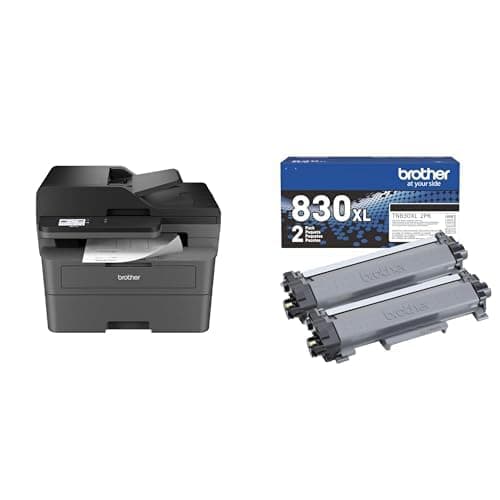
MFCL2820DW + 2-pack of High Yield Toner / New
From
$446.47
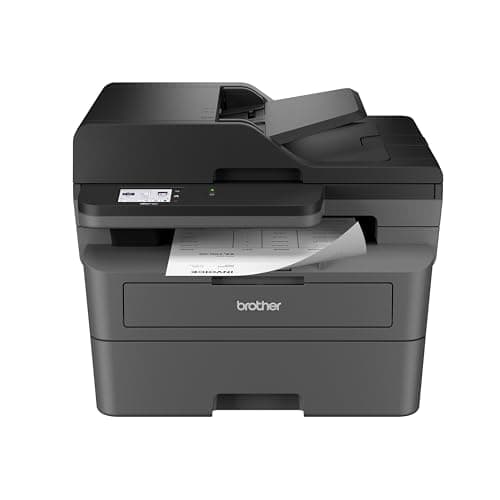
 Brother
The Brother MFC-L2820DW is a compact monochrome laser all-in-one printer designed for small offices and home workspaces that need more than basic printing. It combines black-and-white printing, copying, scanning, and faxing in one machine while offering wireless, Ethernet, and USB connectivity. A 50-page automatic document feeder helps with multi-page jobs, while the 2.7-inch touchscreen makes everyday operation easier. Brother Mobile Connect also adds mobile printing, scanning, printer management, and toner tracking.
$269.99
Lowest Price

When your office needs to print, copy, scan, and fax documents throughout the day, using separate machines can quickly make your workspace feel crowded. The Brother MFC-L2820DW combines all four functions in one compact monochrome laser printer, giving you a simpler way to handle everyday paperwork. It is a practical choice for small offices, home offices, and workspaces where every inch of desk space matters. Instead of walking between different devices, you can manage common document tasks from one convenient machine.
If most of your work involves forms, invoices, reports, applications, or other text-heavy paperwork, a black-and-white laser printer can be a sensible fit. The MFC-L2820DW is designed for monochrome document printing, making it suitable for regular office workloads where color output is not essential. You can use it for business documents, school materials, internal paperwork, and routine forms without needing a separate device for basic printing. For offices that mainly print text, this user-friendly setup keeps the workflow straightforward.
Manually turning pages can become annoying when you are printing reports or multi-page documents. With automatic duplex printing, the printer can print on both sides of compatible paper automatically, helping reduce manual handling. Your longer reports and office documents can be easier to organize while using both sides of the sheet. This feature can also be helpful when you want a more efficient paper-saving workflow for routine printing.
Imagine having a stack of documents to scan or copy and needing to place every page on the scanner glass one at a time. The 50-page automatic document feeder helps avoid that repetitive process by allowing multiple pages to be loaded together. You can use the feeder for supported copying, scanning, and faxing tasks, making larger document jobs less tedious. For a busy office, this small convenience can save useful time throughout the day.
You do not have to rely only on physical buttons to control your printer. The 2.7-inch touchscreen provides a more direct and user-friendly interface for selecting functions and navigating settings. From the display, you can also access supported cloud services for printing and scanning, including Google Drive, Dropbox, Evernote, and OneNote. This makes everyday document management easier when your files are already stored online.
Setting up an office printer can be frustrating when your workspace has different computers and connection preferences. The MFC-L2820DW gives you several options, including dual-band Wi-Fi, Ethernet, and USB connectivity. Its wireless connection supports both 2.4GHz and 5GHz networks, while Ethernet provides a wired networking option. If you prefer a direct connection, USB can connect the printer to a compatible computer, giving your office more flexibility.
Your phone can become a useful part of your printing workflow with the Brother Mobile Connect app. Depending on device compatibility, you can use the app to print, scan, and manage the printer from a smartphone or tablet. The app also provides toner-management features and can help with ordering Brother Genuine supplies. For someone who wants more control without constantly walking over to the printer, this can be a convenient addition.
Many offices now move between physical documents and cloud storage throughout the day. The MFC-L2820DW supports printing from and scanning to supported cloud services directly through its touchscreen interface. You can therefore handle certain document transfers without depending on as many intermediate steps. This is particularly useful when your team regularly stores paperwork digitally or needs to retrieve files from cloud accounts.
Running out of toner in the middle of an important printing job is something most offices would rather avoid. Brother's Refresh EZ Print Subscription Service is designed to help compatible users manage genuine toner supplies, with the supplied information stating potential savings of up to 50% on Brother Genuine Toner and a free trial. Subscription-based toner management can make routine replacement more predictable and help you stay prepared for ongoing printing needs.
When it is finally time to replace the toner, the printer is designed for Brother Genuine TN830 or TN830XL toner. Having clearly compatible toner options makes routine maintenance easier and gives you a straightforward replacement path. You can also combine toner management through Brother Mobile Connect and the Refresh service for a more organized office printing setup.
If you already use compatible Alexa devices, the MFC-L2820DW offers an additional connected feature through Alexa compatibility. This can add convenience to a smart home office or connected workspace where different devices are managed together. It is not the main reason to choose this printer, but it can be a useful extra for users who already have Alexa integrated into their daily setup.
Desk space can be surprisingly valuable, especially when you are working from a smaller office or home workspace. Measuring 15.7 inches deep, 16.1 inches wide, and 12.5 inches high, the MFC-L2820DW has a practical footprint for an all-in-one office printer. At a listed weight of 22.5 pounds, it remains substantial enough for regular office use while keeping its overall design relatively compact. If you want multiple office functions without filling your desk with separate machines, this space-conscious design can be a useful choice.
For a small business owner, remote worker, teacher, student, or home-office user, the real advantage is having essential document functions available from one machine. You can print a report, scan paperwork, make copies, or handle supported fax tasks without changing devices. If your office also needs related equipment, you can explore our Scanners category for additional document-management options. The goal is a cleaner workflow where your everyday paperwork can be handled with less interruption.
For more smart devices, browse our smart home and electronics offers. You can also check CouponOffer's latest deals before making your purchase.
$269.99
Lowest Price
In stock
MFCL2820DW + 2-pack of High Yield Toner / New
From
$446.47
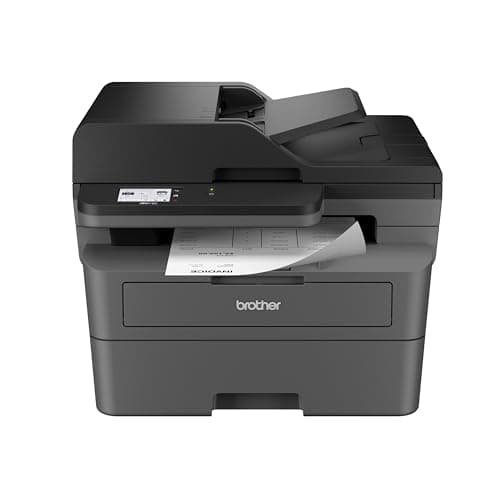
MFCL2820DW / Renewed (Refurbished)
From
$209.99
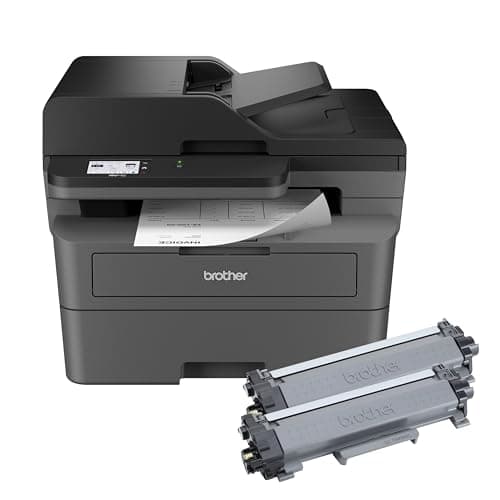
MFCL2820DWXL / New
From
$329.99
MFCL2820DW / New
From
$269.99
Most compared products this week across all US retailers


Brother MFC-L2820DW Wireless Monochrome Laser All-in-One Printer | Print Copy Scan Fax | Duplex | Wi-Fi Ethernet USB | 50-Sheet ADF | 2.7-Inch Touchscreen
$269.99
$0.00


Brother MFC-L2820DW Wireless Monochrome Laser All-in-One Printer | Print Copy Scan Fax | Duplex | Wi-Fi Ethernet USB | 50-Sheet ADF | 2.7-Inch Touchscreen
$269.99
$0.00
Amazon