




Best Laptops for College Students Under $500 in 2026
Honestly, you don't need to drain your whole savings account just to land a decent laptop for college. Most students, really, just need something that can handle web research, assignments, Office, presentations, sitting through online classes, video calls, maybe some Netflix when there's downtime. That's basically the whole pitch behind best laptops for college students under $500 — a solid fit if your budget's on the tighter side.
At this price, picking the right specs actually matters more than chasing whatever looks fanciest on the shelf. A Full HD screen, 8GB RAM minimum, SSD storage — these three alone make a real difference once you're actually using the thing daily.
What to Expect From a Good Laptop Under $500
Let's be clear — nothing at this price is replacing a high-end workstation, and it doesn't need to. Plenty of models here still get through normal college work without issue. 8GB RAM's a decent floor to aim for. Can stretch to 16GB within budget? Even better — smoother multitasking, and it'll hold up longer before feeling sluggish.
A 1080p display's worth prioritizing too, way better than settling for something lower-res. Reading documents, browsing, watching lecture recordings, working through slides — all just sharper, easier on the eyes.
SSD's the way to go if possible — faster boot times, apps open quicker, no real downside. A decent Core i3, Core i5, Ryzen 3, or Ryzen 5 chip covers most everyday student needs just fine. Battery life matters more than people think, too — especially when bouncing between class, the library, and random study spots. Something around 10 hours or more genuinely helps here.
At this price range, really, these laptops shine for browsing, Office work, general schoolwork, streaming, calls — everyday stuff.
5 Laptops Worth Considering for College Students
1. ASUS Chromebook Flip CX1 Convertible Laptop – Best Flexible Chromebook
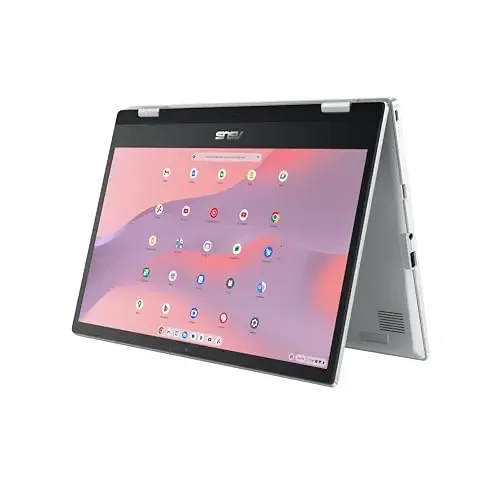
The ASUS Chromebook Flip CX1 is a practical convertible laptop for students who mainly use browser-based apps, Google Docs, online classes, email, and streaming. Its flexible design makes it convenient for studying in different positions.
Approximate price: $250–$400
Why choose it: Flexible design, simple ChromeOS experience, and affordable pricing.
Best for: Students who mainly work online and want a versatile Chromebook.
2. ASUS Vivobook Go 15 – Best for Everyday Productivity
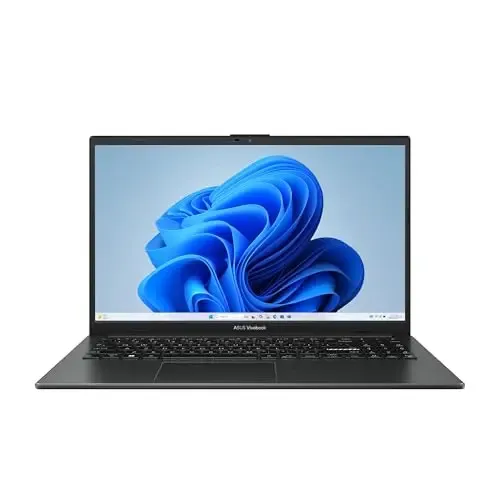
ASUS Vivobook Go 15 is a budget-friendly Windows laptop designed for everyday college tasks such as assignments, web research, Microsoft Office, presentations, video calls, and entertainment.
Approximate price: $300–$450
Why choose it: A good balance of screen size, portability, and everyday Windows performance.
Best for: Students who need an affordable laptop for general productivity.
3. HP OmniBook 3 17.3" Laptop PC – Best for Large-Screen Use
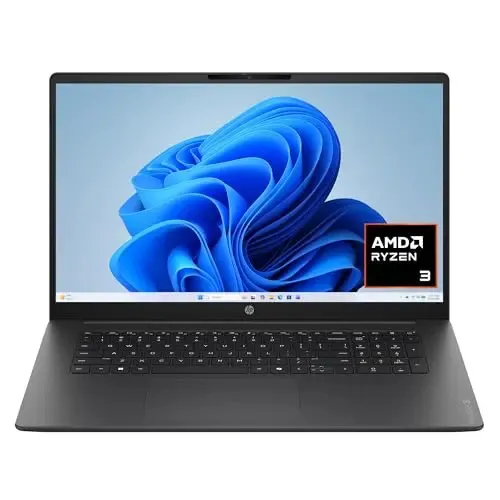
HP OmniBook 3 17.3" Laptop PC is a good option for students who prefer a larger display for studying, multitasking, watching lectures, and working with documents. Its 17.3-inch screen provides more workspace than typical 14- or 15.6-inch laptops, making it comfortable for everyday college tasks.
Approximate price: Around $400–$500, depending on the configuration and retailer.
Why choose it: Choose the HP OmniBook 3 if you want a large screen and a comfortable setup for long study sessions, research, productivity, and entertainment.
Best for: College students, online learners, multitasking, research, presentations, and users who prefer a large laptop display..
4. Acer Aspire Go 15 AI-Ready Laptop – Best Value Alternative
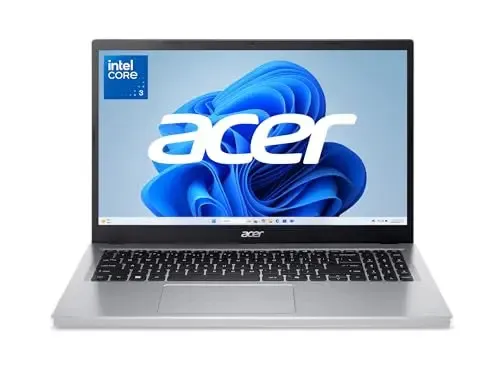
The Acer Aspire Go 15 AI-Ready Laptop is also worth considering for students looking for a budget Windows machine that can handle everyday academic workloads. It is suitable for documents, research, video calls, streaming, and multitasking.
Approximate price: $300–$470
Why choose it: Affordable pricing and enough capability for common college tasks.
Best for: Students who prioritize value and everyday usability.
5. Acer Chromebook 315 Laptop – Best Large-Screen Chromebook
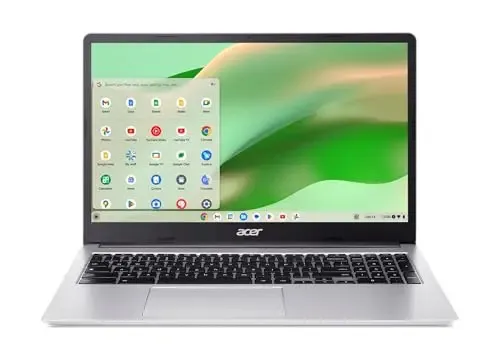
The Acer Chromebook 315 Laptop is a good choice for students who want a larger display and a simple ChromeOS experience. It works well for browsing, online classes, assignments, email, and streaming.
Approximate price: $250–$350
Why choose it: Large screen and affordable pricing for basic student workloads.
Best for: Students who mainly use web-based applications and prefer a larger display.
Which Laptop Is Best for College Students?
Truth is, there's no one laptop that just works perfectly for every single student — it depends way too much on what you're studying, what software your courses actually demand, and honestly which OS you just prefer using day to day.
Want Windows, and something that can basically do a bit of everything without complaint? The Acer Aspire Go 15's a genuinely solid pick there. The ASUS Vivobook Go 1's worth a look too, especially if regular everyday productivity's really all you need from it.
Now if you're someone who lives mostly inside Google Workspace or just runs everything through a browser anyway, a Chromebook could honestly save you a decent chunk of money. The ASUS Chromebook Flip CX1 gives you a bit more flexibility to work with, while the Acer Chromebook 315's a good call if a bigger screen matters more to you. And if you're still leaning toward a traditional Windows setup and your budget's hovering right around that $500 mark, the Dell Inspiron 15's another one worth throwing into the comparison.
What Is the Cheapest Laptop Under $500?
Looking for the rock-bottom cheapest option? Entry-level Chromebooks are usually where you'll land. Makes sense why, too — ChromeOS is built for web-based stuff, so it just doesn't need the same horsepower a full desktop OS demands.
But here's the thing — cheapest doesn't always mean best value. Spend a little extra on something with 8GB RAM, decent storage, and an actual Full HD screen, and honestly, it's usually money well spent.
How Much Is a Laptop Under $500?
Prices swing around a lot in this bracket, more than you'd think. Basic Chromebooks might sit around $250–$350, while a well-equipped Windows machine can creep right up near that $500 mark.
For most college students, the $300–$500 zone tends to be the sweet spot — you get more room to work with in terms of processor, RAM, display quality, storage space. Just double-check the exact spec sheet before you buy, though — same laptop series can quietly have several versions floating around at different prices.
Which Brand Laptop Is Best for College?
There's really no single brand that wins this outright. Acer, ASUS, Dell, HP, Lenovo — every one of them's got budget models with their own strengths, their own compromises. Rather than fixating on the logo, it's smarter to just compare processor, RAM, storage, screen, battery life, weight, and OS side by side. At the end of the day, the "best" laptop's just whichever one actually fits what your coursework needs and what your wallet can handle.
Which Is Cheaper?
Out of these five, the ASUS Chromebook Flip CX1 and Acer Chromebook 315 tend to come in cheapest overall. Makes sense for anyone whose laptop needs are mostly web browsing, online classes, docs, presentations — the usual basic college stuff.
The ASUS Vivobook Go 15 and Acer Aspire Go 15 AI-Ready Laptop usually run a bit higher, but that's because they're giving you more of a traditional Windows experience — better suited if you want flexibility for actual productivity work and multitasking.
Then there's the HP OmniBook 3 17.3" Laptop PC, which can be genuinely good value if a bigger screen's what you're after. Price on that one bounces around more, though, depending on which processor, RAM, and storage combo you end up picking.
So — if the lowest price tag is really your main concern, go with the ASUS Chromebook Flip CX1 or the Acer Chromebook 315. Want more screen real estate and a bit more flexibility for coursework instead? The HP OmniBook 3 17.3" is worth putting on your radar.
What Is a Good Low-Cost Laptop?
A genuinely good budget laptop should cover the essentials without you paying extra for stuff you'll never actually use. For college specifically, keep an eye out for:
- At least 8GB of RAM
- A proper 1080p Full HD screen
- SSD storage, not the older spinning-disk kind
- A reasonably modern processor
- Battery that actually lasts through your day
- A keyboard that's comfortable to type on for hours
- Wi-Fi that doesn't randomly drop
- Enough USB ports and connectivity options to actually be useful
Honestly, these basics affect your day-to-day experience way more than how premium the laptop looks on the outside.
Best Laptop Under $500 With i7 Processor
Honestly, tracking down a genuine i7 laptop under $500 is tricky — newer Core i7 chips just aren't really aimed at the entry-level price bracket to begin with. If you do stumble on one under $500, worth checking whether it's actually an older generation chip, a refurbished unit, or just some heavily discounted config.
The processor name by itself really shouldn't be what decides your purchase, though. A newer Core i5 or Ryzen 5 paired with 8GB or 16GB RAM and an SSD can actually outperform, or at least out-value, an aging i7 laptop that's cutting corners elsewhere.
What Is the Best i7 Processor for a Laptop?
Really depends on the generation and what you're actually planning to do with it. A newer chip can easily beat an older i7, even though both technically carry the same "i7" label — that naming thing trips a lot of people up. That said, for most college students, an i7's honestly overkill for regular coursework. A solid, modern mid-range processor covers browsing, Office work, presentations, video calls, and streaming just fine.
Is a Core i7 Laptop Good?
Short answer, yeah. A Core i7 handles multitasking and heavier apps without much trouble. But here's the thing — students really shouldn't obsess over the processor alone. RAM, SSD, screen quality, battery, cooling, overall build — all of it shapes how the laptop actually feels to use day to day, arguably more than the chip itself.
How to Choose the Best Laptop for College
Laptop Type
Under $500, options split into regular clamshells, 2-in-1s, and Chromebooks. A 2-in-1's genuinely useful if you like flipping the screen for reading, presentations, video calls, that sort of thing. Chromebooks fit best if you're doing most of your work online anyway.
CPU
For budget Windows machines, Core i3 and Ryzen 3 cover the basics fine. Core i5 and Ryzen 5 give more room for multitasking. One thing worth remembering — don't judge a chip purely off its name. Generation and the rest of the build matter just as much, sometimes more.
Graphics
Most laptops here run integrated graphics, and that's honestly enough for browsing, Office, streaming, everyday college stuff. Gaming or 3D work's a different story — that needs dedicated graphics, and a bigger budget to match.
RAM
Aim for 8GB if it fits your budget. Some cheaper models still ship with just 4GB, but 8GB makes a real difference once you've got a bunch of tabs open plus whatever else running in the background.
Display Size
13-14 inch is easier to carry around all day. 15-inch gives more room to actually work — docs, multitasking, all that. Comes down to whether you'd rather have something light or something roomier.
Resolution
1080p should be the target here. Drop below that, and text, video, spreadsheets — all of it just looks noticeably softer.
Battery Life
10-12 hours is a solid number to aim for, especially if you're bouncing between classes or study sessions without an outlet nearby the whole time.
Ports
Worth double-checking what ports you'll actually need. USB-C, USB-A, HDMI, headphone jack — depending on your accessories, having the right mix genuinely matters.
Final Verdict
So, bottom line — the best laptops for college students under $500 really just come down to finding a decent balance across the board. Performance, portability, screen quality, RAM, storage, battery life — no single spec should carry the whole decision. The Acer Aspire Go 15's a genuinely solid all-purpose Windows pick if you want something that just does everything reasonably well. The ASUS Vivobook Go 1 works too, especially if everyday productivity's really all you're after.
If your work's mostly happening online anyway — browser tabs, Google Docs, that kind of thing — take a look at the ASUS Chromebook Flip CX1 or the Acer Chromebook 315. Both handle that use case just fine. And if you're set on a more traditional Windows machine and your budget's creeping up toward that $500 ceiling, the Dell Inspiron 15's worth throwing into the mix too.
One thing though — before you actually pull the trigger on any of these, always double-check the exact processor, RAM, storage, screen resolution, and whatever the current price is. Specs and discounts shift around more than people expect, so comparing the full sheet — not just going off the model name alone — is really the safer way to land on something that actually fits your budget.
FAQ
What is the most recommended laptop for college students?
The Acer Aspire Go 15 is a strong all-around option for students who want a Windows laptop for assignments, browsing, presentations, online classes, and entertainment.
What is the cheapest laptop under $500?
Entry-level Chromebooks are often among the cheapest laptops under $500. Models such as the ASUS Chromebook Flip CX1 and Acer Chromebook 315 can be attractive options for students with basic, web-focused workloads.
Which laptop is good at a low price?
The best low-price laptop depends on your needs. For Windows, the Acer Aspire Go 15 and ASUS Vivobook Go 1 are practical choices. For web-based work, a Chromebook can provide good value.
Which brand laptop is best for college?
Acer, ASUS, Dell, HP, and Lenovo all offer suitable college laptops. Instead of focusing only on the brand, compare the exact specifications, price, battery life, and software compatibility.
Is a Core i7 laptop good?
Yes. Core i7 laptops can provide strong performance, but an i7 is not essential for most college students. A newer Core i5 or Ryzen 5 laptop may provide better value under a $500 budget.
Can I use a Chromebook for college?
Yes, if your coursework mainly uses web applications such as Google Docs, Drive, Gmail, browser-based learning platforms, and online research. However, check your college's software requirements before buying one.
Can you get a good laptop for under $500?
Yes. A sub-$500 laptop can be very capable for schoolwork, web browsing, Office applications, online classes, video calls, and streaming. The key is prioritizing useful specifications rather than simply choosing the lowest price.
 Share On Twitter